My Straight Talk: Mobile App
Straight TalkCommunication
4.345.54K Reviews
- Version
- R30.0.0
- Installs
- 10.00M
- Age Rating
- Everyone
Screenshots
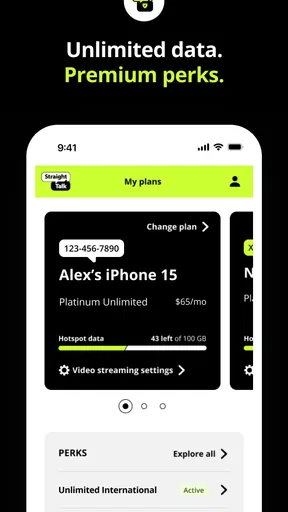
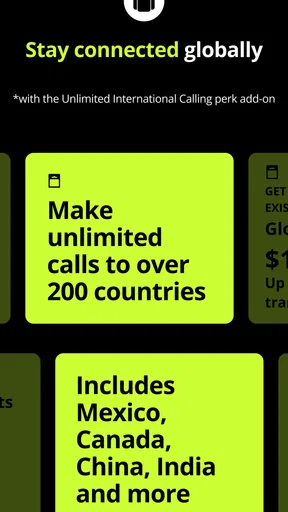
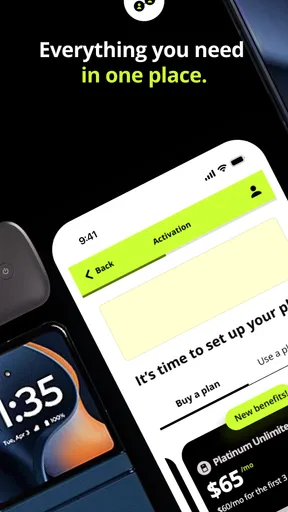
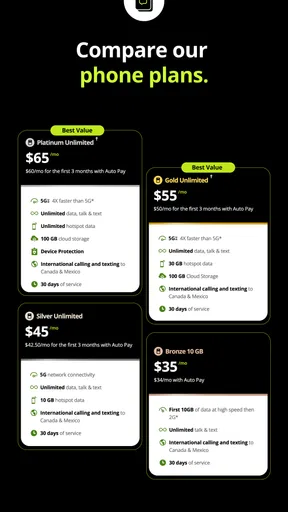
Our Review of My Straight Talk: Mobile App
 Analysis by Appyee
Managing a mobile plan is usually the kind of task I want to finish quickly: check whether a payment went through, see when service renews, or confirm what is happening with my account before leaving home. My Straight Talk is built for that narrow but useful purpose. It is a free communication app from Straight Talk that puts plan management and payment tracking in one place, rather than making me search through messages, paperwork, or a browser session.
After spending time with it, I see the app as a practical account companion rather than a replacement for the phone’s calling and messaging tools. Its value depends on whether you already use Straight Talk. If you do, it can make routine account jobs easier. If you use another carrier, there is no reason to install it, and even Straight Talk customers who rarely change plans or check payments may find the app more occasional than essential.
What using My Straight Talk feels like day to day
The first thing I noticed is how focused the experience is. This is not a social communication app, a messaging service, or a general phone utility. The central reason to open it is to understand and manage your Straight Talk service. That limited scope is a strength because it keeps the purpose clear, but it also means the app should be judged by how smoothly it handles account chores rather than by the number of entertainment or communication features it offers.
The app has been available since July 26, 2013, and its current version is R29.3.0. That long presence matters to me because account-management software benefits from familiarity: users are more likely to trust a tool they can return to whenever a renewal or payment question appears. Straight Talk is also the developer, so the app is tied directly to the provider rather than being an unrelated bill organizer.
In ordinary use, I would open it when I need a quick account check, review payment-related information, or make sure my plan details are available before the next service period. The best part of that workflow is convenience. Instead of treating the phone plan as something managed only through a website or customer-support conversation, the app makes the account feel closer at hand.
The app is most useful when it replaces uncertainty with a quick account check. That is particularly helpful if you have several recurring bills and do not remember which payment has already been processed. It can also be useful before traveling, when losing track of service timing could create an avoidable problem.
Speed expectations for simple account tasks
I would not install this expecting a demanding, feature-heavy mobile experience. The tasks associated with My Straight Talk are relatively focused, so the perceived speed should come mainly from how quickly the account screen becomes useful and how little effort is needed to reach payment or plan information. In that context, a clean path matters more than visual effects or a large collection of menus.
There is also a practical distinction between app speed and account response time. Opening an app can feel quick while a particular account request still depends on a connection and the service behind it. For that reason, I would avoid judging the whole experience by a single slow refresh. The more important question is whether the app returns me to a sensible place and lets me try again without losing the purpose of the visit.
My preferred habit is to use it when I have a stable connection and a specific job in mind. I open it, check the relevant account information, complete the payment-related action if needed, and close it. That approach reduces the chance of wandering through screens and makes the app feel lighter than a full browser-based account portal.
It is also worth remembering that a plan-management app is not something I need running constantly. I would not keep it open in the background just because it belongs to the communication category. Its usefulness comes from opening it at the right moment, not from continuous activity. That should help users who are careful about battery, storage, or unnecessary notifications, although the exact resource impact can vary by device and usage.
What happens during heavier account use
The app becomes more important during moments when I need several pieces of information in one sitting. For example, imagine checking the account before a busy week, confirming payment details, and reviewing the plan so there are no surprises. That is more demanding than opening the app for a single glance, but it is still a focused workflow rather than a heavy multimedia session.
In that situation, I would take a deliberate approach: allow each account area to finish loading before moving on, note anything that needs attention, and avoid repeatedly tapping a button if the screen appears to be waiting. Repeated taps can make any account app feel less stable, especially when the delay is caused by a network request rather than the interface itself.
Another realistic use case is helping a family member who is not comfortable managing a wireless account. The app can serve as a more approachable starting point than a browser, particularly when the person only needs to inspect payment information or understand the current plan. I would still stay nearby for any sensitive account action, because convenience does not remove the need to check details before confirming a payment.
That is one of the trade-offs I see clearly: the app can shorten routine account work, but it does not eliminate user responsibility. A fast tap is not automatically a correct tap. I recommend reviewing the account information carefully before submitting anything, especially if you are managing service for someone else or switching between multiple phone lines.
For users who need a complete history of every bill, detailed financial categorization, or advanced household budgeting, a dedicated finance app may remain better. My Straight Talk is designed around the carrier relationship, not around broader money management. I would use it to verify the service account, then use another tool if I wanted a wider view of monthly spending.
Reliability and recovering from interruptions
Reliability matters more here than flashy design. If I open the app to check whether a payment is reflected, I need the information to be presented clearly enough to make a decision. The app’s strong adoption suggests that many people find value in having this account access on their phones: it has passed ten million installs, with an average rating of 4.3 from roughly 294 thousand ratings.
Those figures do not guarantee that every session will be perfect, but they do indicate that this is an established app rather than an obscure experiment. I also find the separate volume of written feedback useful when setting expectations: around 45 thousand reviews means there is a substantial history of user reaction. Still, ratings are a starting point, not a substitute for considering your particular phone, connection, and account needs.
The most sensible recovery plan is simple. If a screen does not update, I would first check the connection and give it a moment rather than immediately assuming the account action failed. If the app closes or becomes unresponsive, I would reopen it and verify the account status before trying a payment again. That verification step is important because repeating a financial action without checking what happened can create unnecessary confusion.
I also recommend keeping a note of what you were trying to do when an interruption occurred. For example, remember whether you were only viewing information or had reached a confirmation step. That small distinction helps you recover without guessing. If the app still does not behave as expected, the browser version of the carrier’s account service may be the more practical fallback for that particular session.
My Straight Talk is therefore best viewed as a convenient access point, not the only route to your account. I like having a mobile option, but I would not let an app problem stop me from checking an important service issue through another available channel. This is especially true when a renewal is close or the phone is needed for work, travel, or an emergency.
Device compatibility and everyday resource demands
The minimum operating-system requirement is Android 7.0, which gives the app a reasonably broad starting point for Android users with older phones. That does not mean every older device will feel identical. Available memory, storage space, system updates, connection quality, and the general condition of the phone can all affect how an account app feels in practice.
Because the app is intended for occasional account management, I would not expect it to demand the same resources as a game, video editor, or streaming service. My normal approach would be to open it when needed and close it afterward, particularly on an older phone where I already limit background activity. That keeps the workflow purposeful and avoids treating a bill-management tool as something that needs to remain active.
Users with newer phones should have little reason to worry about the app’s basic role overwhelming the device. On an older Android phone, the more realistic concern is not sustained heavy use but waiting for account information or dealing with an interface that feels less responsive when the system is busy. Clearing some storage, closing unrelated apps, and using a reliable connection are sensible first steps before blaming the app.
The age rating is Everyone, which fits the app’s practical account-management purpose. Parents or households may still want to supervise account access because plan and payment information is personal, but the rating itself does not suggest that the app is aimed at an adult-only audience.
The app is free to install, which removes a barrier for Straight Talk customers who simply want a mobile way to manage their service. Free does not mean every account task becomes effortless, though. You still need your account access and enough care to review what you are doing. I would also avoid installing it on a device that is not yours unless you understand how account information will be handled after you finish.
Who benefits most from this app
I think My Straight Talk is a good match for people who want a direct, repeatable way to check their wireless account from an Android phone. It makes the most sense for users who monitor renewals, review payment information, or prefer an app to opening a browser each time. It is also a reasonable option for anyone who wants a single place to begin when a plan question comes up.
The strongest everyday scenario is a customer who receives a reminder that service-related payment activity is due, opens the app, checks the account, and confirms the next step without searching for a saved website. Another is a user who is about to travel and wants to make sure the account is in order before leaving. In both cases, the benefit is not entertainment; it is reducing the number of small obstacles between the question and the answer.
I would skip it if you are not a Straight Talk customer, if you never manage your own plan, or if you specifically need a full personal-finance dashboard. I would also choose a browser or contact support when the issue is complicated and requires more explanation than a focused account screen can provide. The app is a convenience layer, not a universal solution for every billing or service problem.
How it compares with the usual alternatives
The obvious alternative is using a mobile browser. A browser can be more flexible, especially if you already manage several carrier accounts or want to keep account access in one place with other websites. It may also be preferable on a device where you do not want another installed app. My Straight Talk has the advantage of being a dedicated shortcut, so repeated account checks should feel more direct than navigating through bookmarks and web pages.
A second alternative is contacting customer support. Support is more appropriate when you need clarification, have an unusual account problem, or cannot tell what a payment status means. The app is better for self-service moments when you already know what you want to inspect. I would not use a simple account screen as a substitute for human help when the consequences of misunderstanding are significant.
Some people also rely on bank notifications, calendar reminders, or notes to remember plan payments. Those tools can remind you that something may be due, but they do not replace checking the carrier account itself. My Straight Talk is more useful at the verification stage, where I want to see the service account rather than rely only on a reminder created elsewhere.
That comparison reveals the app’s real position. It is not necessarily the most powerful option, but it can be the most convenient one for a Straight Talk customer who wants a dedicated mobile route. The right choice depends on whether you value a focused app more than the flexibility of a browser or the guidance of support.
Small habits that make the experience safer and smoother
I recommend opening the app with one clear purpose instead of browsing casually. Decide whether you are checking a plan, reviewing a payment, or preparing for a service date, then confirm that the screen you are reading matches that purpose. This reduces mistakes and makes it easier to notice if something looks different from what you expected.
Before repeating a payment action after a delay, leave the app and return to the account status. That extra check is more valuable than speed because it helps distinguish an unsuccessful attempt from an action that completed but took time to appear. It is a simple habit, but it is the kind of detail a short store summary cannot teach.
For shared household management, I would keep a clear record of which account or line I am reviewing before making changes. This is especially helpful when one person pays for multiple phones. A dedicated account app can make access convenient, but convenience can also encourage quick taps when several similar details are visible.
Finally, I would keep the app updated through the normal app-store process and make sure the phone itself is in reasonable condition. The current release is R29.3.0, while Android support begins at version 7.0. Keeping the operating system and app current is a sensible way to avoid preventable compatibility trouble, particularly on a phone that has been used for many years.
My performance verdict
My Straight Talk succeeds because it concentrates on a job I often want to complete without ceremony: checking and managing a Straight Talk mobile plan. I appreciate that it is free, available to a large Android audience, and backed by Straight Talk itself. Its established install base and solid average rating make it an easy recommendation for customers who prefer dedicated account access.
I would not describe it as indispensable for every subscriber. People who rarely inspect their account, prefer browser-based tools, or need detailed support may gain more from an alternative. Performance can also feel different depending on the phone and connection, so I would judge it by whether it reliably helps with your own recurring tasks rather than expecting every session to be instant.
Overall, My Straight Talk is a sensible utility for Straight Talk customers who want a focused mobile account workflow. I would recommend installing it if payment checks and plan management are regular parts of your routine. Use it deliberately, verify important actions after interruptions, and keep a browser or support option in mind for unusual problems. With those expectations, it does what I want from this kind of app: it makes a necessary phone-account task easier to reach without pretending to be more than that.
Privacy and Permissions
See what permissions an app requests and how it handles your data.
- Location
- approximate location (network-based), precise location (GPS and network-based)
- Phone
- directly call phone numbers, read phone status and identity
- Wi-Fi connection information
- view Wi-Fi connections
- Device ID & call information
- read phone status and identity
- Other
- view network connections, connect and disconnect from Wi-Fi, full network access, run at startup, control vibration, prevent device from sleeping, read Google service configuration
Verdict
Strengths of My Straight Talk: Mobile App
- View your data, talk, and text usage in real time.
- Manage Auto-Refill settings directly from the app.
- Access billing details and payment history in one place.
- Find nearby retailers and Straight Talk service locations.
- Get quick access to account support and troubleshooting tools.
Limitations of My Straight Talk: Mobile App
- Some account changes may redirect you to a mobile browser.
- Usage information can occasionally take time to refresh.
- Features depend on your Straight Talk plan and account type.
- Login issues may require resetting your credentials frequently.
- The app offers limited options for managing multiple lines.
Similar Picks in This Category
View All
Google Messages
Google LLC4.6

Gmail
Google LLC4.1

Google Meet
Google LLC4.4

Google Chrome
Google LLC4.1

WhatsApp Messenger
WhatsApp LLC4.6

Carrier Services
Google LLC4.2
Frequently Asked Questions
What can I do with the My Straight Talk app?
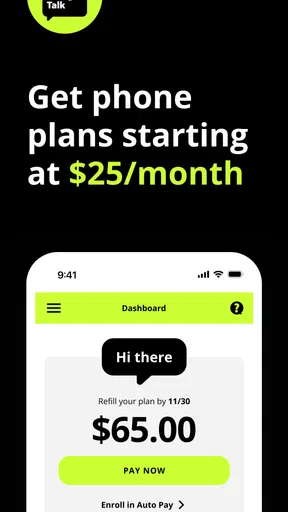
My Straight Talk is designed to help Straight Talk customers manage their wireless service from one place. After signing in, you can review your plan and account details, check data usage, monitor service status, make payments, manage Auto-Refill settings, and view available options for renewing or changing service. The exact tools shown may vary depending on your plan, device, and account type.
Is the My Straight Talk app free to download and use?
Yes, the My Straight Talk app is generally free to download from the official Google Play Store or Apple App Store. However, downloading the app does not include the cost of your wireless plan, add-ons, or other account services. Mobile data charges may apply if you use the app over cellular data, so connecting to Wi-Fi can help avoid unnecessary data consumption.
Can I pay my Straight Talk bill through the app?
The app allows eligible customers to manage payments directly from their mobile device. You can typically use a saved payment method or enter payment information when renewing service, and you may also be able to manage Auto-Refill preferences. Before confirming a transaction, carefully check the amount, renewal date, and selected plan because payment and renewal options can differ between accounts.
Do I need a Straight Talk account to use My Straight Talk?
Most account-management features require you to sign in with Straight Talk credentials or create an account connected to your wireless service. Without signing in, access may be limited to basic information or introductory screens. If you have trouble logging in, verify your email or username, password, and account details, and use the official recovery options rather than sharing your credentials with anyone.
Does My Straight Talk work on every Android and iPhone?
My Straight Talk is intended for compatible Android phones and iPhones, but availability and performance can depend on your operating system version, device model, network connection, and app updates. For the safest installation, download it only from the official app store and review the listed requirements. Keeping both your phone software and the app updated can also reduce login and loading problems.
